Define the outcome
Write down the subject, audience, format, approximate duration, and mood before opening the editor. A specific outcome gives Deevid fewer assumptions to resolve and makes the first result easier to judge.
Practical tutorial
This guide to how to use deevid ai takes you from a rough idea to a reviewable video draft. Follow the setup checklist, build a clear prompt, inspect the result, and refine only the parts that need attention.
Use a short, repeatable workflow instead of changing several variables at once. Each step gives you a clear checkpoint before moving forward.
Write down the subject, audience, format, approximate duration, and mood before opening the editor. A specific outcome gives Deevid fewer assumptions to resolve and makes the first result easier to judge.
Choose the best starting point: a concise text prompt, a clean reference image, or a script with clear scene breaks. Describe visible action, setting, lighting, framing, and timing rather than relying on abstract adjectives.
Create one draft, then review motion, subject consistency, composition, pacing, and any unwanted details. Note the exact moment or element that needs work instead of restarting with an entirely different brief.
Change one or two instructions at a time. Tighten the prompt, replace a weak image, adjust the movement request, or simplify the scene, then compare the new output with the previous draft.
A little preparation prevents most avoidable retries. You do not need production equipment, but you do need a clear creative brief and usable source material.
Decide what the viewer should understand or feel.
Keep the first attempt focused.
Use a well-lit image with the subject easy to identify.
Choose vertical for short-form mobile content or landscape for wider playback.
Write the checks before judging the result.
Useful when the first draft misses the intended movement or composition.
Most weak drafts come from an unclear input, too many competing instructions, or a mismatch between the source and the requested motion. Try the smallest useful correction first.
Treat the first output as a diagnostic draft. The comparison below shows the practical difference between a vague request and an input that controls subject, action, setting, and camera behavior.
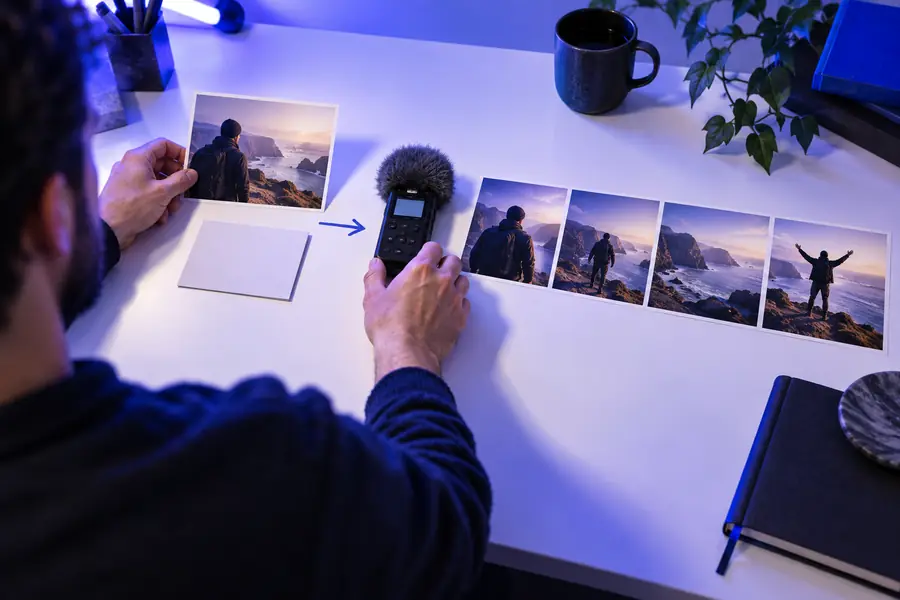
A stronger brief reduces ambiguity without trying to describe every pixel.
Deevid can accelerate visual ideation, but it cannot replace a clear brief, editorial judgment, or a final quality check. Plan around these limits before you build a larger sequence.
A broad request may produce a visually attractive result that misses the exact product, location, pose, or mood you had in mind.
WorkaroundState the subject, action, setting, framing, lighting, and exclusions in that order.
A character, object, or environment can change between shots when the prompt or reference does not reinforce identity.
WorkaroundKeep descriptions consistent and generate related shots from the strongest reference available.
Many people, fast interactions, small text, and several simultaneous actions increase the chance of distorted details or confusing motion.
WorkaroundSplit the idea into shorter shots with one dominant action per shot.
The output may still need trimming, sequencing, captions, sound, color adjustment, or a platform-specific crop.
WorkaroundReview it in the context of the final channel and reserve time for ordinary post-production.
The current AI video workflow grew from familiar production habits: define a brief, create a rough version, review it, and revise with evidence rather than guesswork.
Short written descriptions increasingly served as creative briefs for images and moving concepts, making early ideation accessible without a full production setup.
Creators began combining language with visual references to guide appearance, composition, and subject identity more consistently.
Prompts started specifying camera movement, pacing, transitions, and visible actions instead of describing only a static scene.
The strongest process shifted from expecting one perfect generation to comparing drafts, isolating failures, and making controlled revisions.
AI video tools are most useful when generation handles exploration while people make the decisions about story, continuity, audience, and final presentation.
These answers cover the main questions behind the search for how to use deevid ai and help you choose a sensible first workflow.
Start with one clear video goal and describe the subject, action, setting, camera view, mood, and intended format. Generate a short first draft, inspect what changed, and revise the weakest instruction rather than rewriting everything at once.
Include the main subject, what it is doing, where it is, how the scene should look, and how the camera should move. Add duration, aspect ratio, or exclusions when they matter, but keep the first prompt focused on one primary action.
An image can be useful when the appearance or composition matters more than starting from words alone. Choose a clear reference, explain the motion you want to add, and avoid asking the system to transform too many unrelated elements in one pass.
A first draft may miss the result because the request is too broad, the reference is unclear, or the scene contains too many simultaneous actions. Identify one visible failure, such as weak motion or inconsistent subject details, then change the related instruction and compare the next draft.
Use concrete visual language, keep related shots consistent, and make controlled revisions. Review every output for subject identity, motion, framing, pacing, and unwanted details before using it in a larger edit.