Guided video creation

Meet the deevid ai agent for guided video creation

The deevid ai agent helps turn a loose idea into an organized video task, from the first brief through visual direction and review. Use it when you want momentum without losing creative control.

Free to start · no signup
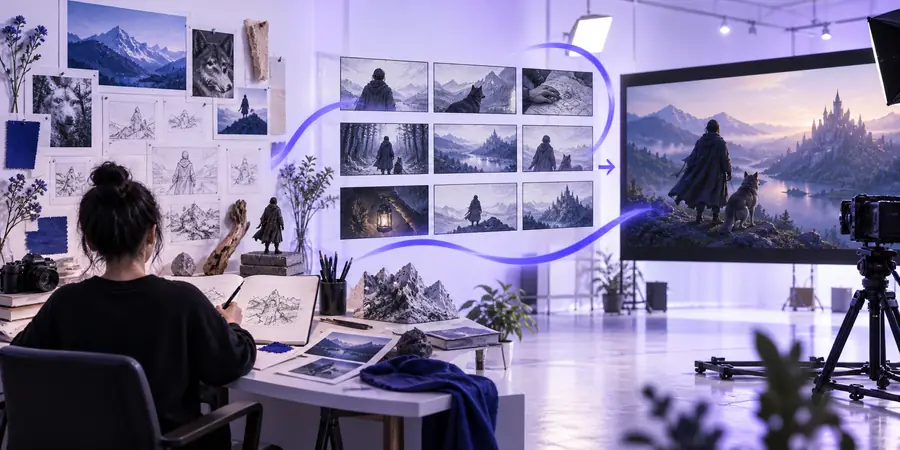
Abstract video creation scene representing an AI-guided agent workflow

Choose your workflow

One agent, three creative mechanisms

An AI agent is most useful when it connects decisions instead of treating every shot as an isolated prompt. These starting points show where the workflow can help.

Social media teams

Turn a campaign idea into a short sequence with a hook, visual beats, and a clear closing message.

The [deevid ai video generator](/deevid-ai-video-generator/) can take the organized direction into production, reducing the jump from concept to first draft.

deevid ai video generator

Product marketers

Describe the audience, product benefit, mood, and call to action before creating a polished visual treatment.

Use [deevid ai music](/deevid-ai-music/) when the soundtrack needs to support the product mood without distracting from the message.

deevid ai music

Creative directors

Explore several visual directions while keeping the subject, pacing, and intended audience visible throughout the brief.

Pair the agent with [deevid motion control](/deevid-motion-control/) when movement, camera direction, or subject continuity needs extra attention.

deevid motion control

Solo creators

Start with a rough idea and ask for a practical sequence rather than trying to solve the script, visuals, and timing all at once.

A guided plan makes it easier to compare concepts, revise one part, and move forward without rebuilding the entire idea.

deevid ai video generator

The working loop

Step-by-step from brief to video direction

Treat the agent as a structured conversation: give it useful context, inspect the plan, then refine the parts that matter most to the final viewer.

Set the creative brief

State the subject, audience, purpose, duration, visual mood, and any must-keep details. Specific context gives the workflow something concrete to organize.

Shape the production plan

Review the suggested sequence, scene logic, pacing, and visual priorities. Ask for alternatives when the first direction feels too generic or too ambitious.

Generate and refine

Move the selected direction into video creation, then adjust the weakest scene, transition, movement, or audio choice instead of changing everything at once.

Know the edges

Limits and edges of an AI agent

A guided workflow can reduce friction, but it does not replace judgment, source material, or a final review. Plan around these boundaries.

It cannot read an unspoken creative intention

A short prompt may leave the audience, tone, framing, or brand rules unclear, so the first result can feel broadly plausible but strategically wrong.

WorkaroundName the viewer, desired reaction, reference mood, and non-negotiable details before asking for a plan.

It cannot guarantee perfect continuity

Characters, products, locations, and fine visual details may shift between generated scenes, especially when the brief changes repeatedly.

WorkaroundKeep a compact continuity note and revise one scene at a time while checking the subject, setting, and camera direction.

It cannot replace rights and fact checking

The workflow may help shape a concept, but it does not make claims, logos, likenesses, music, or source images automatically safe to publish.

WorkaroundReview permissions, brand approvals, factual statements, and music usage before distribution.

It cannot decide what deserves attention

An agent can suggest options, but it cannot know which product benefit, emotional beat, or audience objection matters most without your priorities.

WorkaroundRank the message hierarchy and judge each draft against one primary viewer action.

Plan the workload

Estimate the effort before you begin

Use this simple planning model to compare a small batch with a larger one. It is a workflow estimate, not a Deevid quote or a guarantee of render time.

Output size
clips
Workflow cost
planning min
Time saved
planning min

A clearer operating model

What the agent keeps in view

The strongest results come from balancing creative direction with practical review. Use these three anchors to keep the process focused.

One clear creative goal gives every later decision a reference point.
01 brief
Brief, plan, and refine create a manageable loop instead of a single leap.
03 stages
Alternative directions are useful when they are compared against the same audience and message.
options

Common questions

Questions about the deevid ai agent

Here are practical answers for deciding whether an agent-style video workflow fits your project.

It is used to organize a video idea into a clearer creative brief and production direction. It can help connect audience, message, scenes, pacing, and visual mood before you commit to a final draft.

It can support the path from an initial idea to generated video direction, but a person still needs to review the result. Creative choices, continuity, factual claims, permissions, and final publishing decisions should remain under human control.

Include the subject, intended viewer, purpose, approximate duration, tone, visual style, and any details that must remain consistent. If the video is for a product or campaign, add the key benefit and the action you want viewers to take.

It can be helpful when the project has several connected decisions, because it encourages you to define the brief before focusing on individual shots. For a very simple clip, a direct prompt may be enough and can be faster.

Review the plan against one audience goal and identify the weakest assumption first. Ask for a more specific alternative, then make focused revisions to the scene order, subject continuity, movement, or message rather than changing every variable together.

Start creating
Start creating